


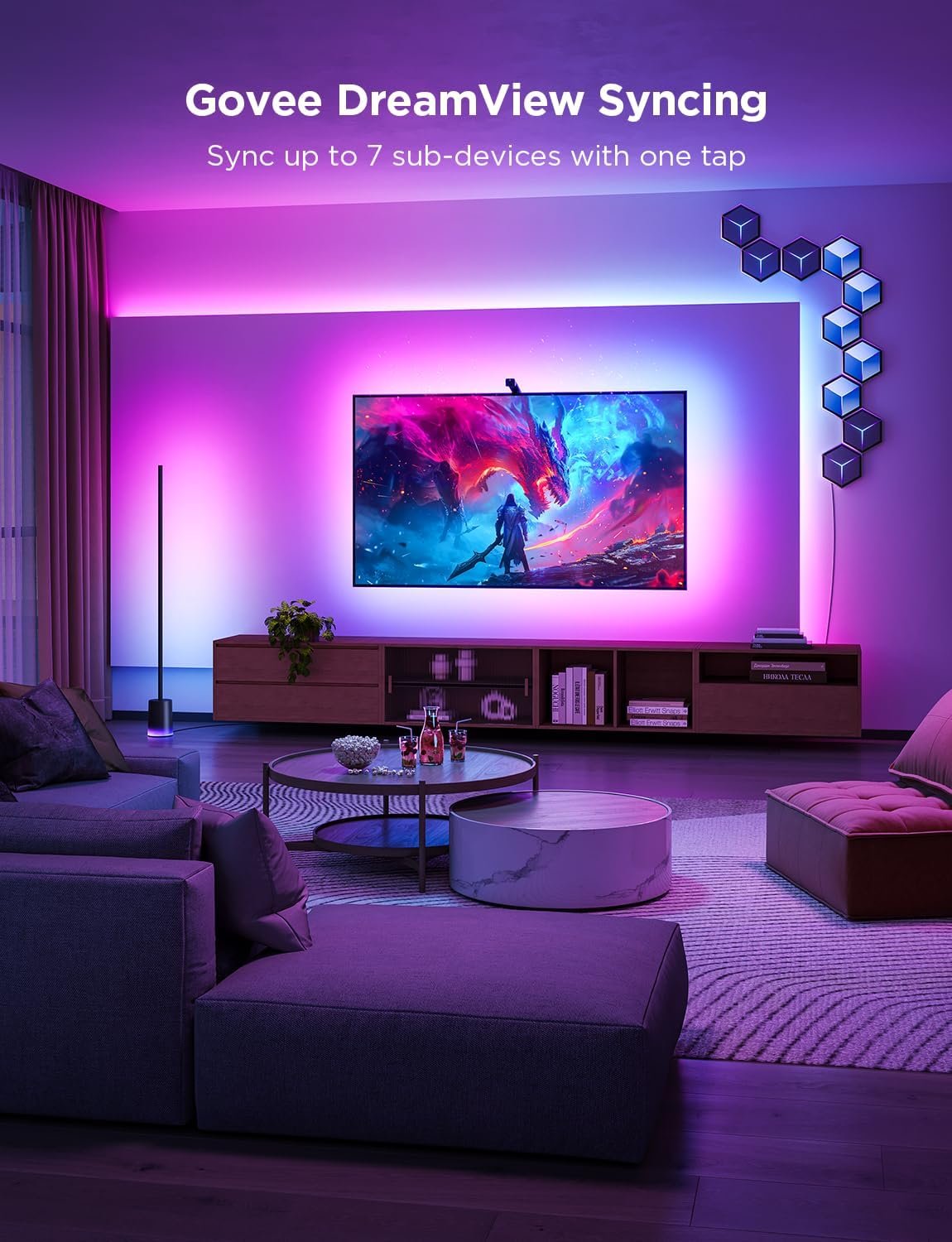
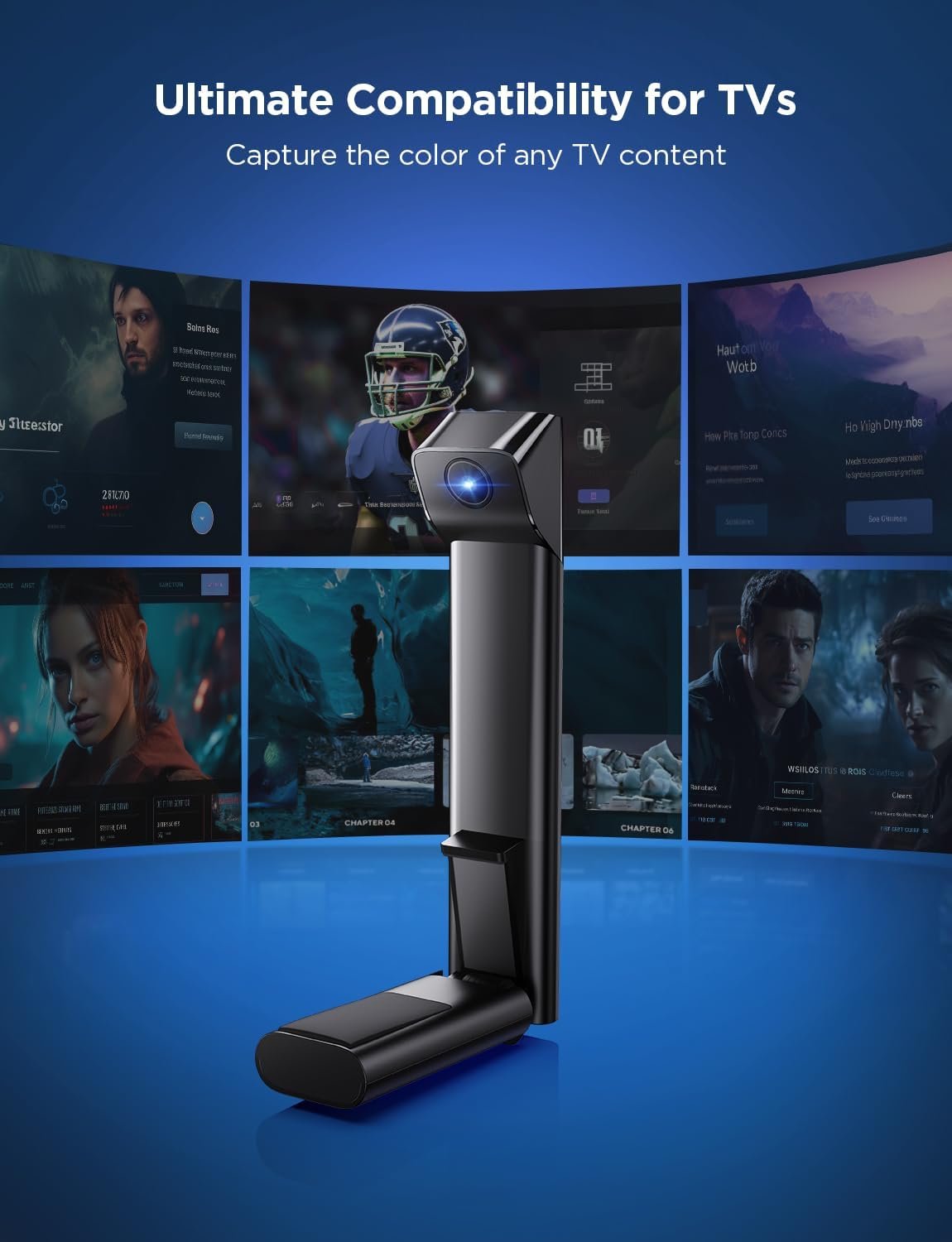

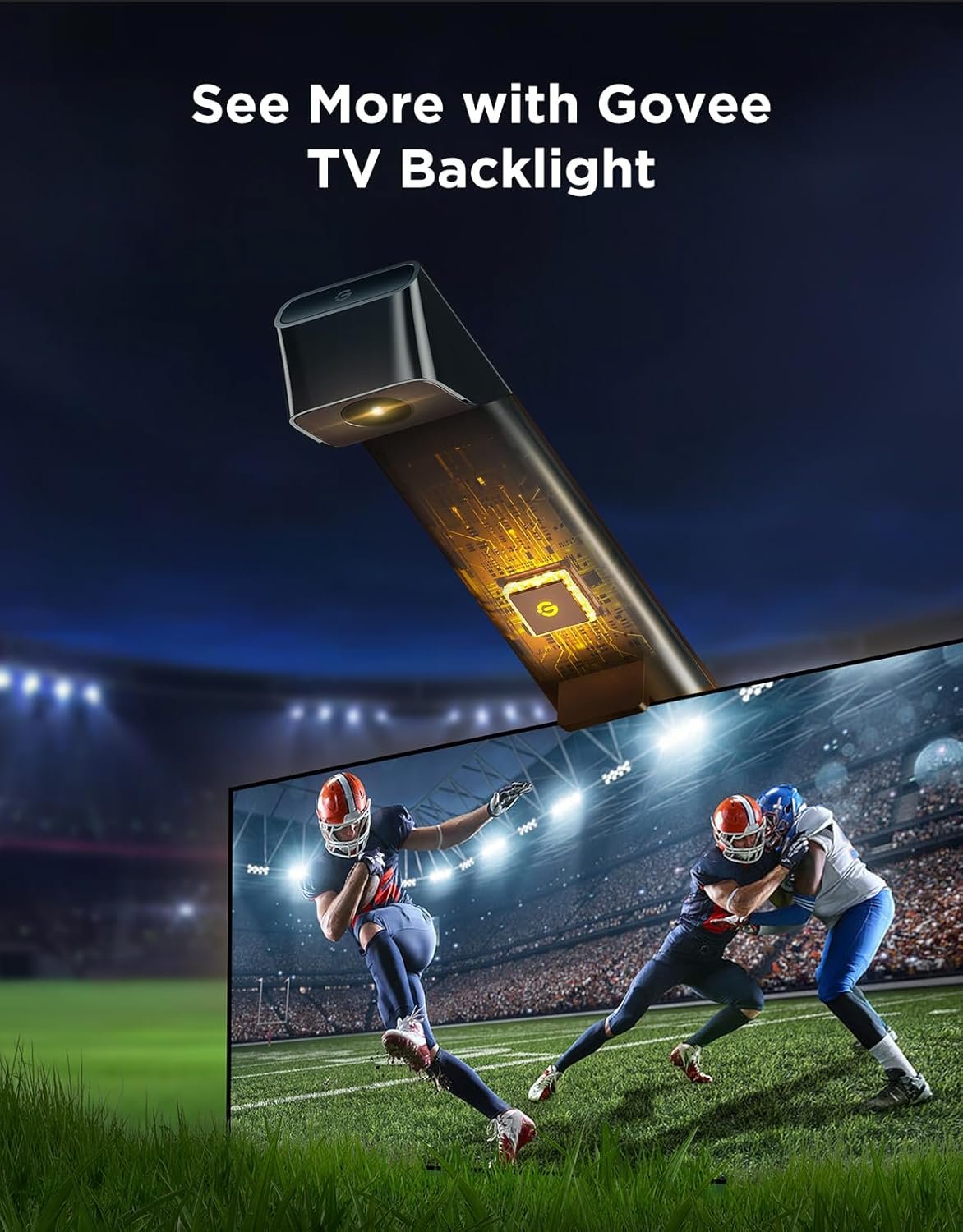


The Govee TV Backlight 3 Lite (H6099) upgrades your viewing experience with vibrant RGBICW LED lighting that syncs with on-screen content for an immersive ambience. Designed for 55–65″ TVs, this LED strip light kit includes fish-eye correction technology to ensure consistent color even at screen edges and a built-in camera for reactive lighting effects. Control brightness, colors, and modes easily via the Govee Home app or voice with Alexa and Google Assistant. Perfect for movie nights, gaming setups, and ambient décor, the Govee TV backlight enhances your TV area with dynamic lighting that adapts to what you watch.
Govee TV LED backlight strip review 2026 – Real testing reveals fish-eye correction accuracy, camera calibration nightmares, and RGBICW color quality. Is the Backlight 3 Lite worth $90?
Introduction
The Govee TV LED backlight strip promises cinematic immersion with camera-based color sync, fish-eye correction, and 16 million colors for just $90. But can a camera-based system really match expensive HDMI sync boxes, or will you spend hours fighting calibration issues?
This comprehensive review analyzes real 3-month user experiences, color accuracy testing versus Philips Hue, and the notorious camera calibration problems to determine if this Govee TV LED backlight strip delivers genuine value or frustrating setup nightmares.
Table of Contents
Quick Summary
Model: Govee TV Backlight 3 Lite (H6099/H6097)
Length: 11.8 feet (55-65 inch TVs) | 16.4 feet (75-85 inch TVs)
Technology: RGBICW with dedicated white LED
Color Options: 16 million colors via app
Control Methods: Govee app, voice control (Alexa, Google Assistant), physical control box
Connectivity: 2.4GHz Wi-Fi + Bluetooth
Camera System: Envisual with fish-eye correction
Key Features: Letterbox removal, ultra-thin TV adaptation, music sync
Installation: Adhesive mounting with included clips
Price: $89.99-$99.99
Bottom Line: Impressively immersive viewing experience with vibrant RGBICW colors for $90, but camera calibration ranges from frustrating to impossible depending on TV setup, and color accuracy lags behind $300+ HDMI sync boxes.
What Makes This Govee TV LED Backlight Strip Stand Out
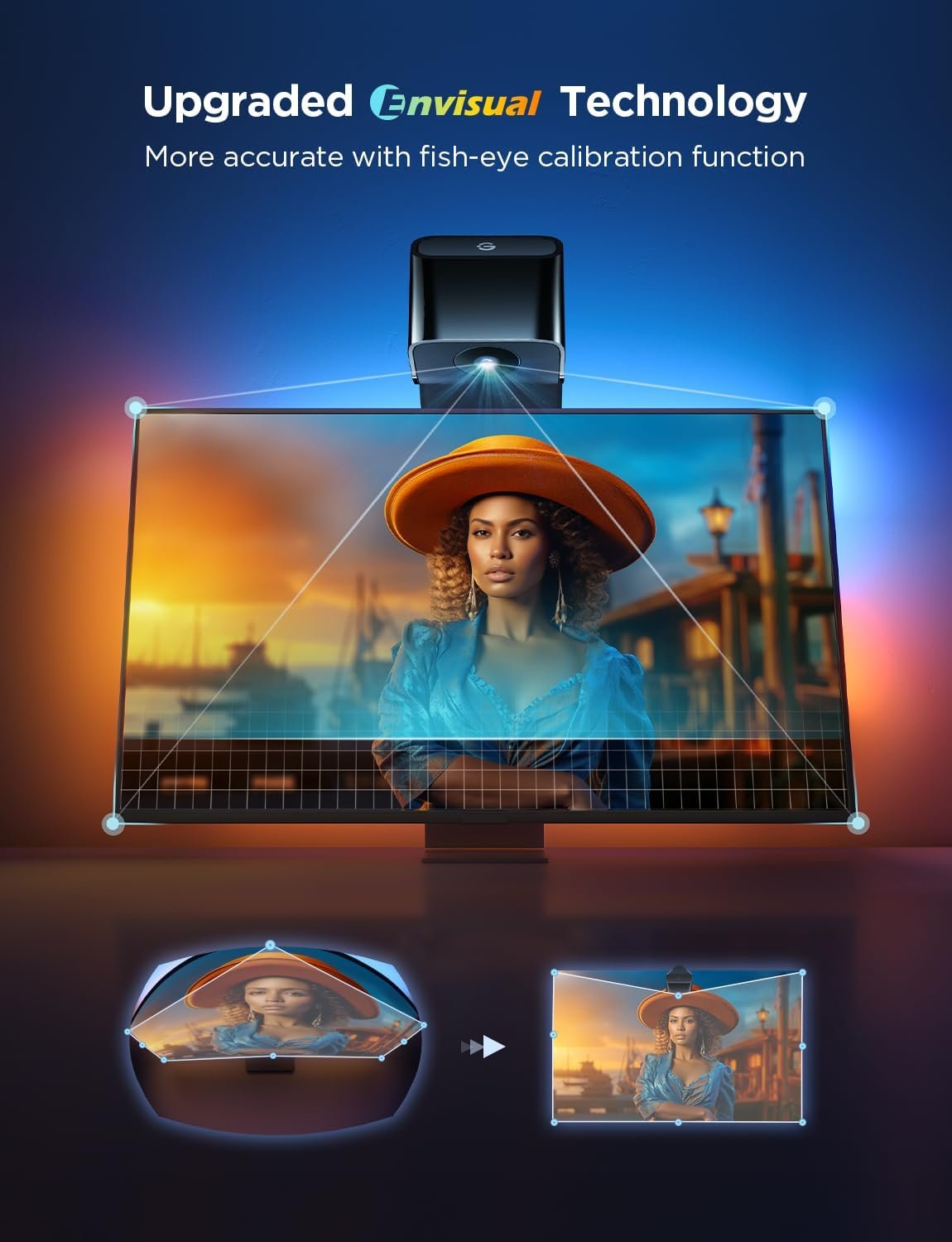
Fish-Eye Correction Camera Technology
The Govee TV LED backlight strip includes upgraded fish-eye correction that addresses lens distortion issues plaguing earlier models. This correction “expands the effective color-matching range for more accurate edges” by compensating for camera lens curvature.
The Envisual camera captures on-screen content and translates colors to the LED strip in real-time without requiring HDMI connections. This means the system works with any content source—streaming apps, game consoles, cable boxes, or Blu-ray players.
RGBICW Technology: The “W” Advantage
Unlike basic RGBIC strips, this Govee TV LED backlight strip adds a dedicated white LED (the “W” in RGBICW). This dedicated white channel produces “more accurate colors and true white tones” compared to mixing RGB to approximate white.
Professional testing confirms the RGBICW strip delivers “vibrant and reactive” colors with better brightness than previous RGBIC-only models. The white LED particularly improves movie scenes with white elements—snow, clouds, bright interiors—by reproducing them accurately rather than with a blue-ish RGB white tint.
No HDMI Sync Box Required
The camera-based approach eliminates the need for expensive HDMI sync boxes costing $200-300. You avoid HDMI 2.1 compatibility concerns, don’t sacrifice HDMI ports, and maintain full 4K 120Hz gaming support.
The Govee TV LED backlight strip works with built-in TV apps like Netflix, Prime Video, and Disney+ that HDMI boxes cannot access.
Govee TV LED Backlight Strip Performance Testing
Color Accuracy vs Philips Hue Sync Box
Direct comparison testing reveals the Govee TV LED backlight strip approaches but doesn’t match Philips Hue sync box accuracy. The HDMI method delivers “near-perfect accuracy and zero latency” with pixel-accurate color mapping.
However, professional reviewers note Govee’s camera system “provided a similar level of accuracy and responsiveness” with “great color blending and an impressive overall effect”. While “not as pixel-perfect as the HDMI sync box,” the Govee TV LED backlight strip achieves “satisfactory results in most situations”.
For 80% of users, the color matching is “very accurate” and “highly responsive,” creating genuine immersion during movies and gaming. The remaining 20% may notice slight color delays or inaccuracies compared to $300 Philips systems.
Real-World Immersion Experience
Real users after 3 months report the Govee TV LED backlight strip “has changed how I watch TV”. One reviewer states: “It’s impressive and immersive” during action movies, nature documentaries, and gaming.
The ambient lighting genuinely extends the screen beyond its physical borders, creating a larger perceived image. Explosions cast orange glows across the wall, ocean scenes bathe the room in blues, and forests pulse with greens—all synchronized in real-time.
Gaming particularly benefits, with the Govee TV LED backlight strip reacting to gunfire, environmental changes, and on-screen action.
Brightness and Vibrancy
The RGBICW LEDs deliver “peak vibrancy and range” that effectively illuminates 9-foot walls behind TVs. Brightness can be adjusted from subtle mood lighting to vibrant displays without affecting color quality.
However, the Govee TV LED backlight strip is “not as bright as the Govee TV Backlight T2” premium model. For most viewing environments, brightness proves adequate, but rooms with significant ambient light may require higher output.
The Camera Calibration Nightmare
Why Calibration Fails
Multiple users report the Govee TV LED backlight strip camera calibration ranges from “very sensitive” to “impossible”. Common failure causes include:
Screen Reflections: Reflective TV surfaces create feedback loops where red lights cast red on screen, making it redder, creating more red light
Ultra-Thin TV Compatibility: Camera positioned too close cannot capture full screen
Mounting Height Limitations: Wall-mounted TVs leave insufficient space for proper camera positioning
External Lighting: Room lights interfere with camera color detection
Firmware Issues: White balance adjustments require firmware updates that may take days to appear
One frustrated user states: “Govee TV Backlight 3 Lite Camera Calibration is impossible…”. Another confirms: “terrible color accuracy with backlight 3 lite”.
Calibration Solutions and Workarounds
Successful users report these fixes for the Govee TV LED backlight strip:
- Eliminate all room lighting during calibration—close curtains and turn off lights
- Bottom-mount the camera rather than top-mounting for better angle
- Use 21:9 YouTube videos for calibration instead of foam calibration spots
- Tilt camera slightly to capture full screen
- Adjust white balance in app after firmware update
- Delete and re-add device if calibration fails—don’t cancel mid-process
- Disable 5GHz Wi-Fi during initial setup, using only 2.4GHz
Even with workarounds, calibration takes 20-45 minutes of trial-and-error for many users.
When to Skip Camera Systems
The Govee TV LED backlight strip camera system doesn’t work well with:
- Wall-mounted TVs with limited space above/below
- Ultra-thin OLED TVs
- Highly reflective TV surfaces
- Rooms with unavoidable ambient lighting
- Perfectionist users requiring pixel-accurate color
If your setup falls into these categories, consider spending $200+ on HDMI sync boxes despite higher cost.
Govee TV LED Backlight Strip Installation
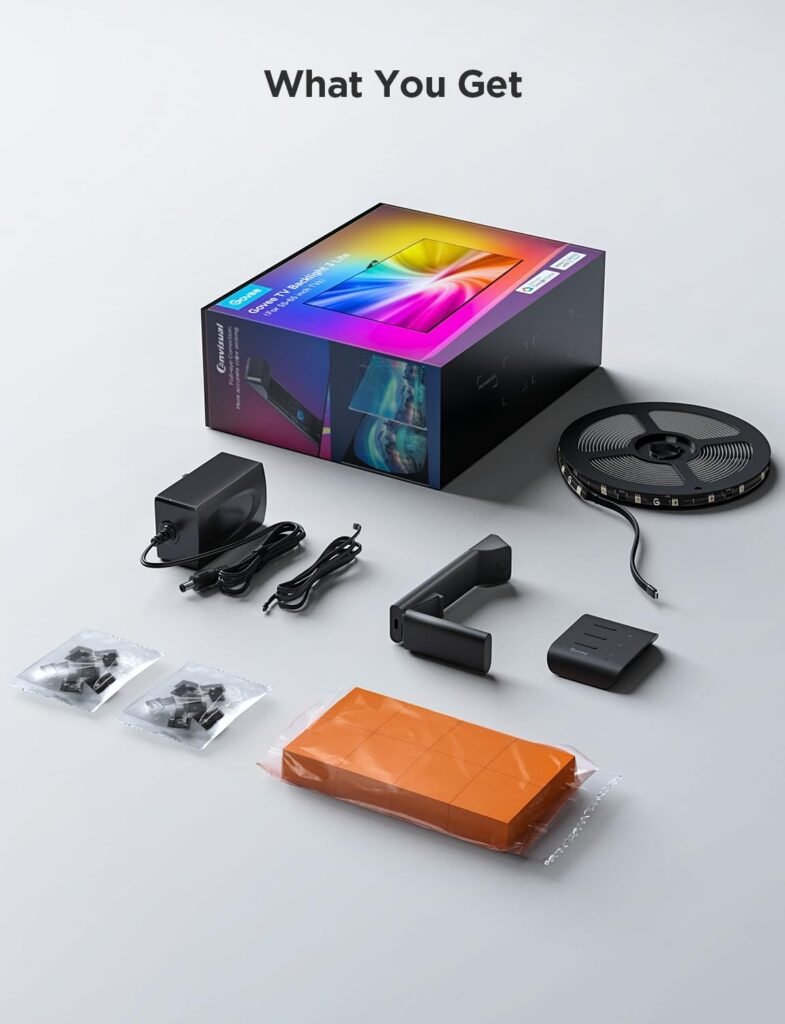
Adhesive Mounting Process
Real users report installation takes 30-60 minutes. The Govee TV LED backlight strip arrives with pre-measured sections for different TV sizes.
The installation process:
- Clean TV back thoroughly with Windex, then included alcohol wipes
- Remove adhesive backing and press LED strips around TV perimeter
- Use included adhesive clips at corners and stress points
- Mount camera on top or bottom of TV bezel
- Connect power adapter and control box
- Position foam calibration spots on screen for camera setup
One user with a grooved TV back notes: “Everything seems to be well stuck despite the grooves so I am happy”. The adhesive holds reliably with proper surface preparation.
Setup Challenges
Installation difficulties reported for the Govee TV LED backlight strip include:
- Backlight LED tough to install with certain TV mounts
- Tight spaces between wall-mounted TV and wall
- Wire management for camera cable and power adapter
- Finding optimal camera position for screen coverage
- Initial pairing requiring both Bluetooth and Wi-Fi connection
Reviewers recommend watching setup tutorials before starting installation.
Govee TV LED Backlight Strip Pros
- No HDMI sync box required saves $200+
- Works with all content sources including built-in TV apps
- RGBICW dedicated white LED for accurate white reproduction
- Fish-eye correction technology improves edge accuracy
- Highly responsive lighting enhances immersion
- Affordable $90 price point for ambient lighting
- Vibrant color range with 16 million options
- Music sync mode for audio-reactive effects
- Letterbox removal eliminates black bars during calibration
- Ultra-thin TV adaptation (when properly calibrated)
- Easy sync with other Govee products for whole-room effects
- Physical control box provides manual adjustments
- Strong adhesive holds on grooved TV backs
Govee TV LED Backlight Strip Cons
- Camera calibration nightmare for many users
- Not as accurate as $300 Philips Hue sync boxes
- Calibration very sensitive to lighting and positioning
- Difficult installation with wall-mounted TVs
- Sometimes misses top and bottom screen edges
- Less bright than Govee T2 premium model
- Requires 2.4GHz Wi-Fi (5GHz not compatible)
- White balance adjustment can take days to appear
- Screen reflections cause calibration failures
- Complicated app with overwhelming menus
- 30-60 minute installation time
- May not work on ultra-thin TVs without workarounds
- Slight color delay compared to HDMI systems
Govee TV LED Backlight Strip vs Competition
Who Should Buy This Govee TV LED Backlight Strip
Perfect For:
- Budget-conscious buyers under $100
- Users with freestanding TVs (not wall-mounted)
- Streaming app users wanting built-in app compatibility
- Casual viewers prioritizing affordability over perfection
- Gamers wanting 4K 120Hz without HDMI limitations
- Households with multiple content sources
- First-time ambient lighting buyers testing the concept
Avoid If:
- You have ultra-thin wall-mounted OLED TVs
- You need pixel-perfect color accuracy
- You’re easily frustrated by calibration challenges
- You have highly reflective TV surfaces
- You want zero latency for competitive gaming
- You can afford $200-300 for HDMI sync boxes
- Your TV has less than 2 inches clearance around edges
Frequently Asked Questions
How does the Govee TV LED backlight strip compare to Philips Hue?
The Govee TV LED backlight strip delivers 80% of Philips Hue’s performance at 30% of the cost. Hue’s HDMI sync box provides pixel-perfect accuracy and zero latency, while Govee’s camera system achieves “satisfactory results in most situations” with slight delays. For casual viewers, Govee offers excellent value; perfectionists should invest in Hue.
Why won’t my Govee TV LED backlight strip calibrate?
Calibration fails due to screen reflections, insufficient camera-to-TV distance, external lighting, or reflective TV surfaces. Solutions include eliminating all room lighting, bottom-mounting the camera, using 21:9 YouTube calibration videos instead of foam spots, and adjusting white balance after firmware updates. Some ultra-thin TV setups cannot be calibrated without camera extensions.
What does RGBICW mean on this Govee TV LED backlight strip?
RGBICW adds dedicated white LEDs to standard RGBIC technology. The “W” produces true white tones that are “brighter than those produced by mixing traditional RGB lights”. This improves color accuracy for white elements like snow, clouds, and bright scenes while maintaining the multi-color gradient effects of RGBIC.
Does the Govee TV LED backlight strip work with wall-mounted TVs?
Installation difficulty increases significantly with wall-mounted TVs. Limited space between TV and wall makes LED strip application challenging, and camera positioning becomes problematic. Some wall-mounted setups work fine, while others prove “impossible” to calibrate. Freestanding TVs provide easier installation and calibration.
Can I use this Govee TV LED backlight strip with my gaming console?
Yes, the camera-based system captures on-screen content regardless of source. Unlike HDMI sync boxes, you maintain full 4K 120Hz support for PS5/Xbox Series X without worrying about HDMI 2.1 passthrough limitations. Gaming responsiveness is excellent, though there’s minimal latency versus zero-latency HDMI boxes.
How long does installation take for the Govee TV LED backlight strip?
Physical installation takes 30-60 minutes including cleaning, adhesive application, and wire management. However, camera calibration adds 20-45 minutes (or hours for problematic setups). Budget 90 minutes total for first-time installation, including troubleshooting.
Is the Govee TV LED backlight strip worth $90?
For viewers prioritizing affordability and working with compatible TV setups, the Govee TV LED backlight strip delivers impressive immersion at $90. The viewing experience genuinely transforms movie nights and gaming. However, calibration frustrations and accuracy limitations versus premium options mean some users will regret not spending $200 more on HDMI sync boxes.
Final Verdict
The Govee TV LED backlight strip delivers genuinely impressive immersive lighting that transforms viewing experiences when working properly. The RGBICW technology with dedicated white LEDs produces vibrant, accurate colors that extend the screen beyond its physical borders.
Real users after 3 months confirm it “has changed how I watch TV” with highly responsive, immersive ambient lighting. For $90, you’re getting 80% of $300 Philips Hue performance without HDMI complications.
The camera-based approach offers genuine advantages: works with all content sources including built-in TV apps, maintains 4K 120Hz gaming support, and eliminates expensive sync box requirements.
However, the camera calibration experience ranges from “sensitive” to “impossible” depending on your TV setup. Users with wall-mounted TVs, ultra-thin OLEDs, or reflective surfaces face significant calibration challenges requiring extensive troubleshooting.
Color accuracy trails $300 HDMI sync boxes, with occasional edge detection misses and minimal latency. Perfectionists notice these limitations, while casual viewers find results satisfactory.
For freestanding TVs with adequate camera clearance, the Govee TV LED backlight strip offers excellent value at $90. The immersion genuinely enhances entertainment, and the price-to-performance ratio impresses.
However, if your TV setup falls into “difficult calibration” categories or you demand pixel-perfect accuracy, investing $200-300 in Philips Hue or FancyLEDs HDMI systems eliminates frustration. The setup simplicity and color precision justify the premium for serious home theater enthusiasts.
Rating: 3.9/5 Stars – Impressive immersion and value at $90, but camera calibration challenges and accuracy limitations prevent universal recommendation.
Product Link: Buy Govee TV LED Backlight Strip on Amazon
Ready to upgrade every corner of your home? From cozy seating like this Furlide chair to high-tech kitchen gadgets, we’ve got you covered. Check out our Full Library of Home Product Reviews to discover more expert-tested gear for your lifestyle.